How to Play Dig Clean
The complete Dig & Clean beginner roadmap for Roblox.
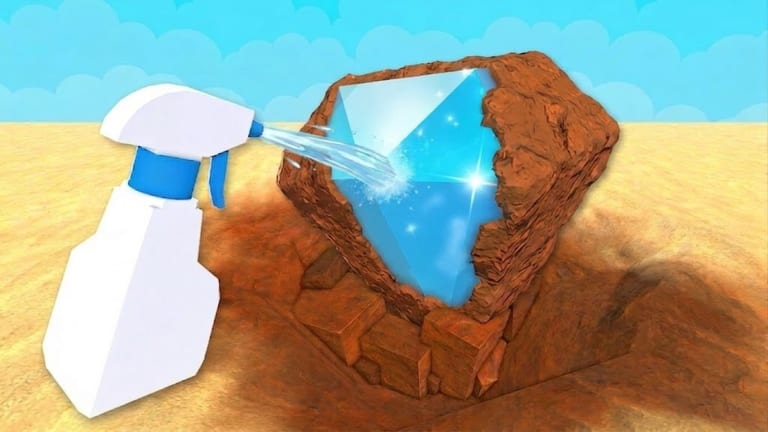
How to play Dig Clean on Roblox is easier once you treat the game as a satisfying reveal loop, not a pure clicker. Dig & Clean asks you to dig dirty buried objects, spray them clean to discover what they are, sell junk for cash, upgrade your shovel and spray bottle, and show rare finds in a personal museum.
Dig Clean core loop
- Equip your shovel and dig a dirty find from the ground.
- Carry or send the dirty object to cleaning.
- Use the spray bottle (and scrub timing when required) until the item identity reveals.
- Decide: sell for cash, keep for collection, or place in the museum.
- Buy a better shovel or spray bottle when a bottleneck appears.
- Expand toward the next island when tools and cash allow.
Official Dig & Clean copy highlights the same fantasy: dig dirty junk and treasure, spray it clean, hunt rare items, showcase a museum, and upgrade tools across Mobile, Tablet, PC, and Console.
First 15 minutes in Dig Clean
Join the experience from the official Dig & Clean Roblox page. Complete any tutorial prompts without skipping — they introduce dig and spray interactions that the rest of the game assumes you know.
Spend early minutes practising clean reveals rather than rushing for rare labels. Understanding when a find is still dirty versus fully cleaned prevents inventory mistakes. If your backpack fills with unclean objects, pause digging and finish spray work first. Details live in How to Clean Dig Clean Finds.
Dig Clean goals by stage
Stage 1 — Learn reveal quality. Focus on consistent digs and complete cleans. Read How to Dig.
Stage 2 — Fund the first upgrades. Sell common junk aggressively. Use the upgrade priority tool so you do not overspend on the wrong tool.
Stage 3 — Start a museum identity. Keep standout rares; sell duplicates. Follow the museum guide and museum checklist tool.
Stage 4 — Island expansion. When dig spots feel dry or the UI unlocks travel, use the islands guide.
Dig Clean systems you should know early
- Shovel power affects how quickly you unearth dirty objects.
- Spray bottle quality affects how quickly you identify finds.
- Museum displays turn rare finds into long-term progress and flex.
- Islands gate higher-value dig pools as you grow.
Cross-check rankings on the shovel tier list and spray bottle tier list. For rarity language, open the items hub.
Dig Clean on every device
Dig Clean supports Mobile, Tablet, PC, and Console. Inputs differ, but the loop does not. Jump to PC Controls, Mobile Controls, or Console Controls if buttons feel unclear.
Optional Dig Clean boosts
Codes — when available — live on the codes hub. Scripts that auto dig or instant clean exist in the community; they can violate Roblox rules. Read Scripts before experimenting.
Dig Clean session checklist
- Dig a manageable batch.
- Clean everything before digging more.
- Sell junk, keep museum candidates.
- Upgrade the current bottleneck tool.
- Recheck Updates weekly.
Master this Dig Clean play pattern and every other guide on the wiki becomes easier to apply.
Dig Clean mindset for long-term fun
Treat each session as dig, clean, decide, upgrade — not infinite clicking. Players who skip cleaning burn out when inventory clogs. Players who never sell stall on starter tools. Balance is the skill Dig Clean rewards.
Frequently Asked Questions
Quick answers to the most common Dig Clean questions.
Is Dig Clean free to play on Roblox?
Yes. Dig & Clean is a free Roblox experience with optional purchases depending on what developers offer.
What is the main goal in Dig Clean?
Reveal cleaned finds, grow wealth through smart sells, upgrade tools, and build a rare museum collection.
How is Dig Clean different from DIG?
Dig Clean focuses on dig-then-spray-clean reveals and museum display. DIG is a separate open-world digging adventure.